 Polyo
Polyo A Home for Lifelong Learners
Track Your Language Learning Journey
Log listening, speaking, and reading activities. Set goals, earn achievements, and watch your progress grow — all in a beautiful, privacy-first app.
Everything You Need to Stay on Track
Polyo gives you the tools to build consistent language learning habits.
Activity Logging
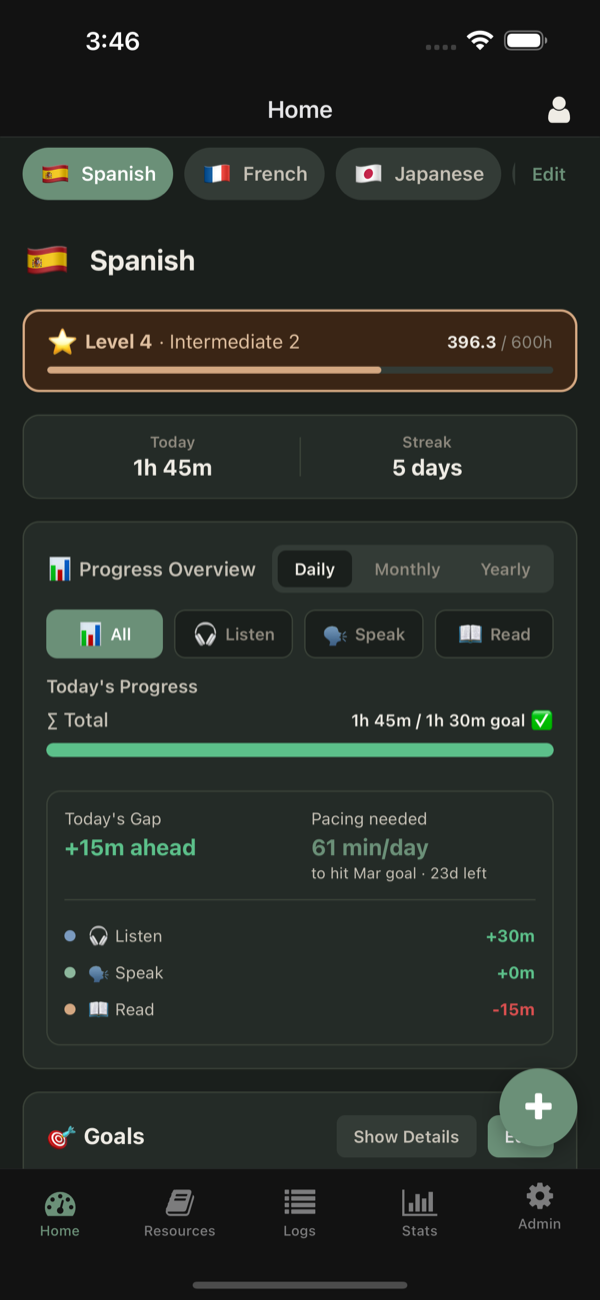
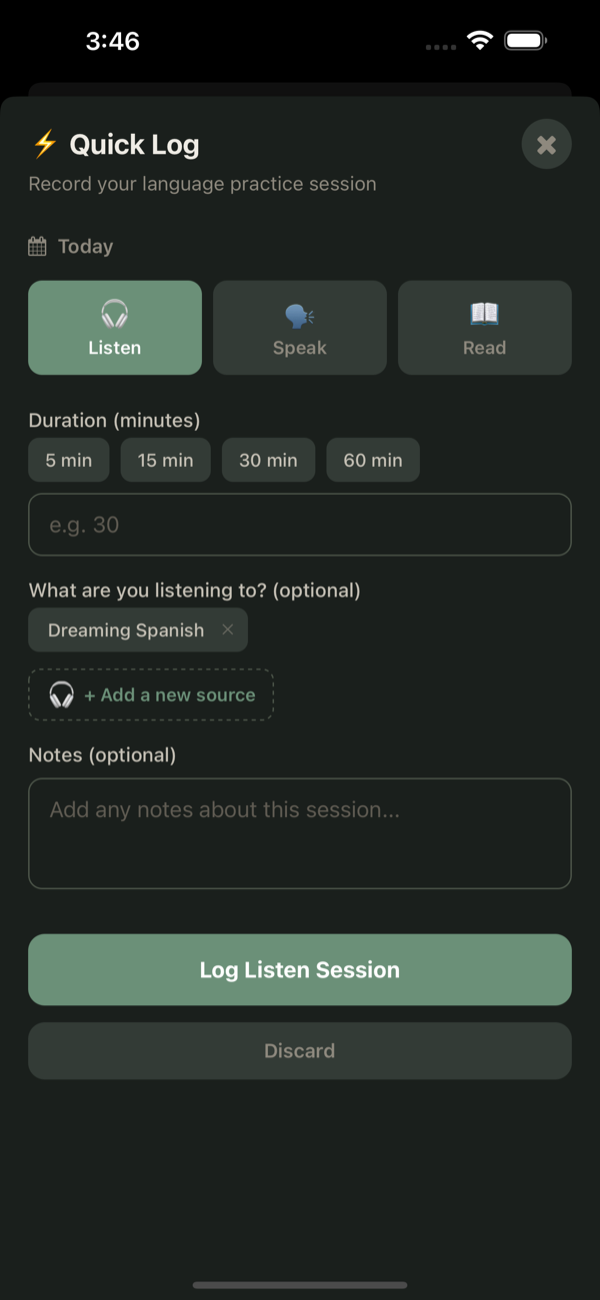
Track listening, speaking, and reading sessions with quick log or a built-in timer.
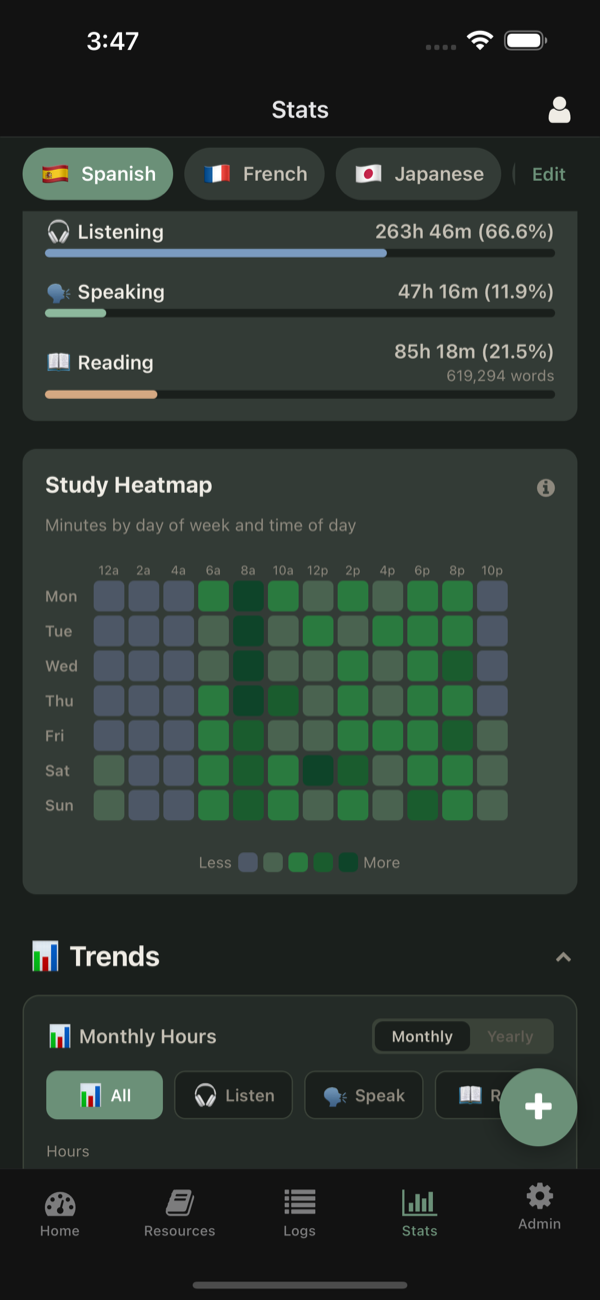
Progress & Statistics
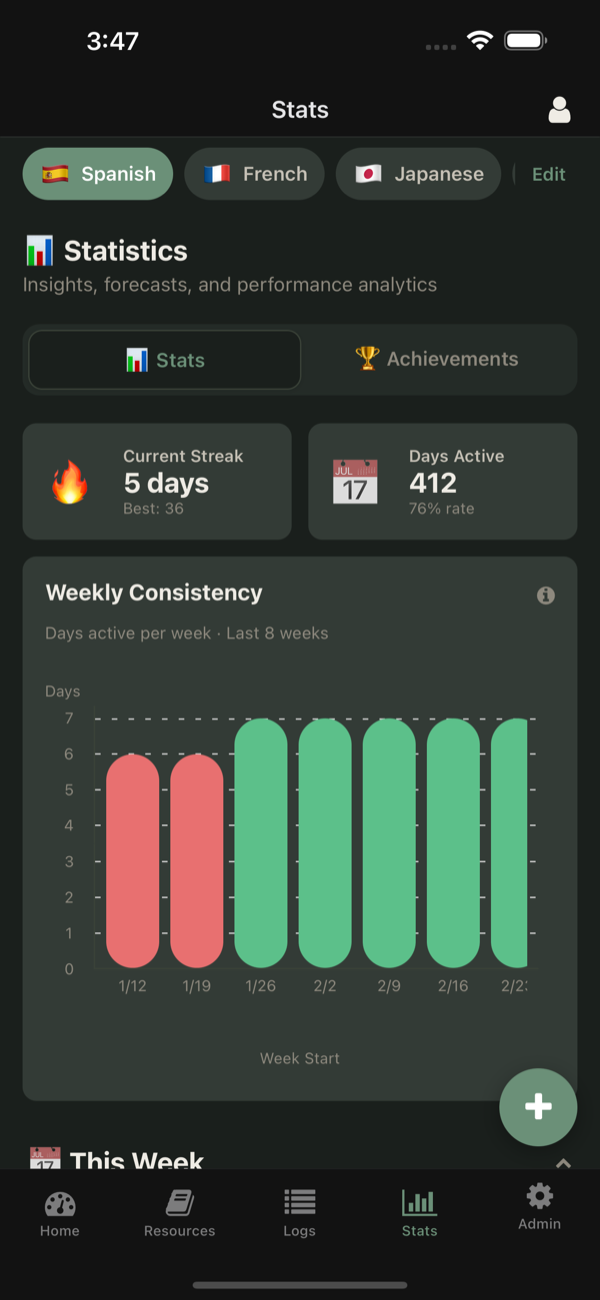
Visualize streaks, heatmaps, weekly trends, and detailed breakdowns of your study habits.
Smart Goals
Set daily, monthly, and yearly targets with intelligent syncing across time periods.
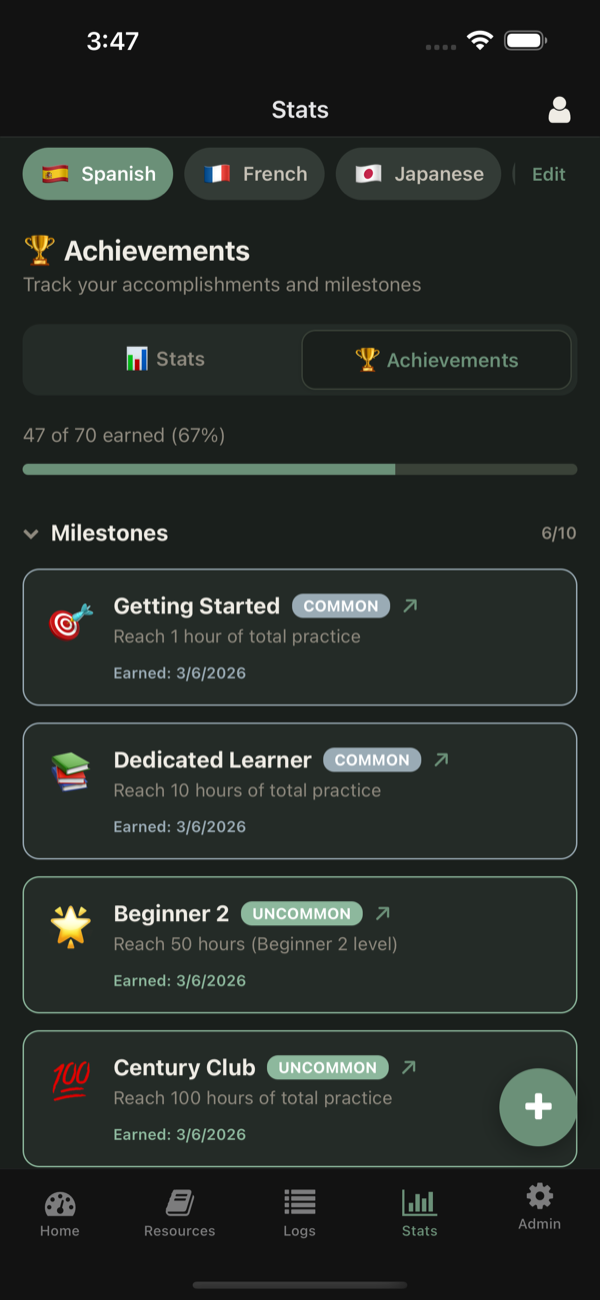
Achievements
Unlock 30+ achievements across rarity tiers as you hit milestones in your learning journey.
Library Management
Organize and track your books, articles, podcasts, and other learning resources.
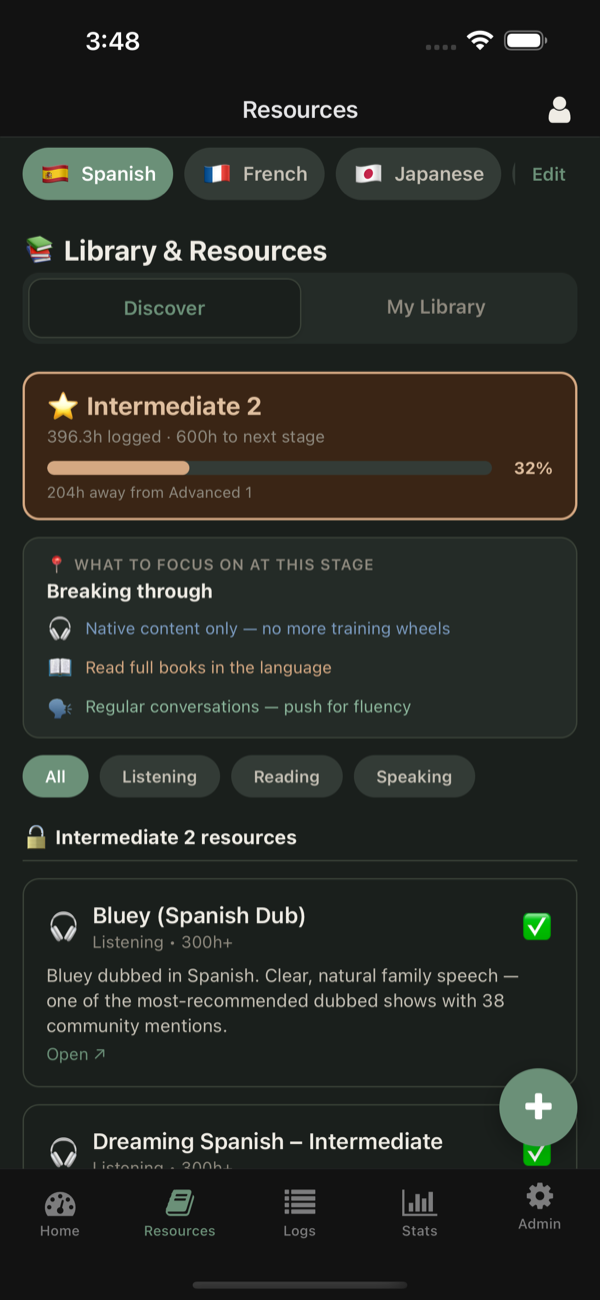
Curated Resources
Discover learning materials that unlock progressively as you advance.
Multi-Language
Track multiple languages simultaneously and switch between them seamlessly.
Local-First & Private
Your data stays on your device. Optional cloud sync keeps everything backed up.
Import & Export
Bring your existing data in via CSV or export it anytime. Your data, your control.
See Polyo in Action
A clean, focused interface designed for daily use
Be the First to Know
Join our mailing list for launch updates, new features, and language learning tips.
Frequently Asked Questions
Everything you need to know about Polyo
How do I log a study session?
From the Dashboard, use the Quick Log form. Pick an activity type (Listen, Speak, or Read), enter the duration, and optionally add sources or notes. You can also use the built-in timer for hands-free tracking.
Can I track multiple languages?
Yes! Add as many languages as you like and switch between them using the language picker at the top of the Dashboard. Each language has its own separate statistics, goals, and progress.
How do goals work?
Set daily, monthly, or yearly hour targets from the Dashboard. Your progress is tracked automatically as you log sessions. Goals sync intelligently across time periods so your daily targets contribute to monthly and yearly goals.
What kind of statistics can I see?
Polyo offers streaks, heatmaps, weekly breakdowns, long-term trends, goal progress charts, and personal records. Filter by time range to see stats for the past week, month, or all time.
How do achievements work?
Achievements unlock automatically as you hit milestones — logging streaks, reaching hour totals, trying different activity types, and more. There are 30+ achievements across multiple rarity tiers.
Is my data private?
Absolutely. Polyo is local-first — your data is stored on your device and works fully offline. Cloud sync is optional and only used for backup. You can export all your data as CSV at any time.
Can I import existing study data?
Yes. Go to Profile > Data Management > Import CSV. Select a CSV file with columns for date, duration, and activity type. The importer previews your data before saving so you can verify everything.
Does the app work offline?
Yes. All core features work without an internet connection. When you reconnect, any changes sync automatically in the background.
Is there a dark mode?
Yes. Polyo supports Light, Dark, and System themes. The System option follows your device's appearance setting automatically.
Can I set study reminders?
Yes. Go to Profile > Notifications to enable daily study reminders. Pick the time and days of the week that work best for your schedule.
What is the Library feature?
The Library lets you track books and articles you're reading as part of your language learning. Add items, track pages read, and link reading sessions to library items for detailed progress.
Where can I download Polyo?
Polyo is available on the App Store for iOS and on Google Play for Android.